Fix for missing ‘AScore’ font when editing Logic Pro PDFs
Opening PDFs exported from Logic Pro for editing in applications like Affinity and Adobe Illustrator can result in rendering issues due to the unavailability to third-party apps of Logic’s default score font ‘AScore’. Here’s a solution to the problem.
tl;dr: I found the AScore font in
/Applications/Logic Pro.app/Contents/Frameworks/MACore.framework/Versions/A/Resources, installed it with Font Book, and can now open Logic’s PDFs in Affinity without rendering problems.
I use Apple’s Logic Pro to produce written musical scores. Logic is a bit of an eccentric choice for this purpose: its scoring functionality has its share of quirks, and probably doesn’t quite match a dedicated scoring application like Dorico in terms of power and flexibility. But it gets the job done and is actually quite capable.
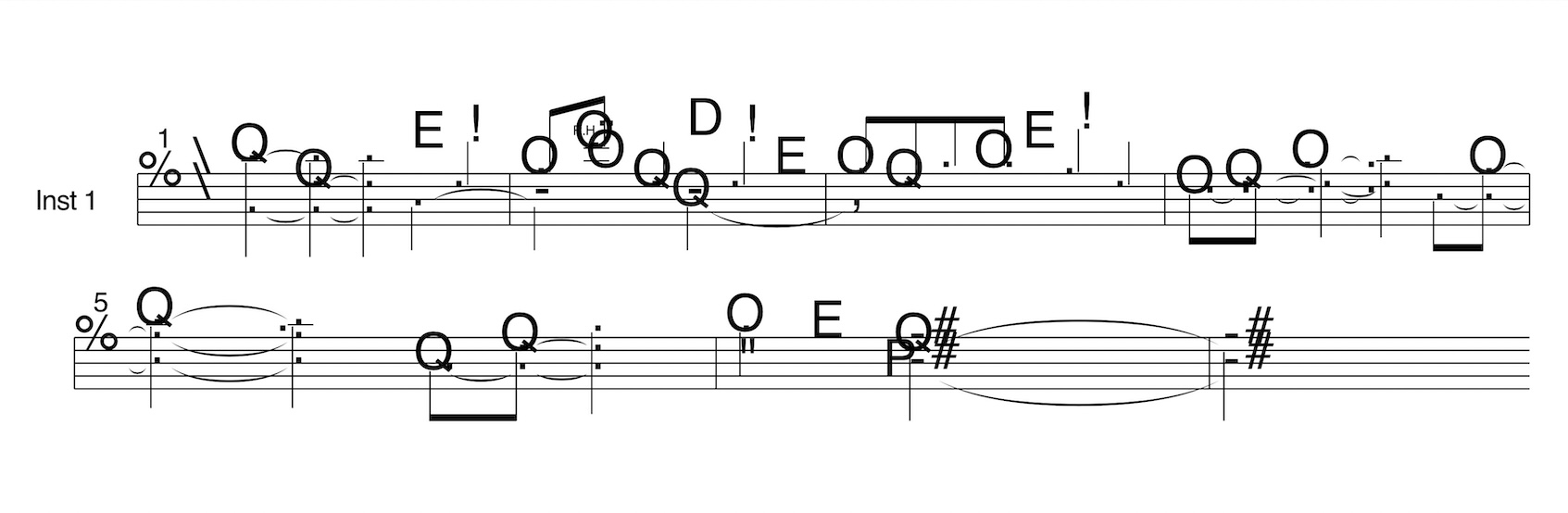
Often I want to open a PDF of a score exported from Logic in an application like Affinity or Adobe Illustrator for light editing. Logic uses internal fonts called ’AScore‘ and ’AScoreParts’ for musical glyphs (note heads, time signatures etc.), which don’t render when a PDF produced by Logic is opened in a vector editing tool (you get a ‘missing font’ message).
The problem is most noticeable when using Internal as the symbol font (see screenshot below). However, even when using a third-party font like Jazz or Petaluma (my preferred hand-written font; see later screenshot), PDFs will fall back to using the Internal Font (AScore and AScoreParts) when a glyph/symbol is unavailable in the third-party font, or is perhaps mapped differently.
This problem bumbazed me for the longest time, but I finally figured out a fix.
AScore and AScoreParts aren’t installed along with the other system fonts, but I knew they had to be somewhere in the file system. Maybe I could find them and install them along with the others, which would allow them to be picked up by other applications. To my delight, this theory panned out. I located the fonts, installed them, and I can now open Logic PDFs in Affinity for editing (which is sometimes necessary when I can’t quite get Logic to format exactly the way I want it to – as I said, the scoring functionality can be quirky).
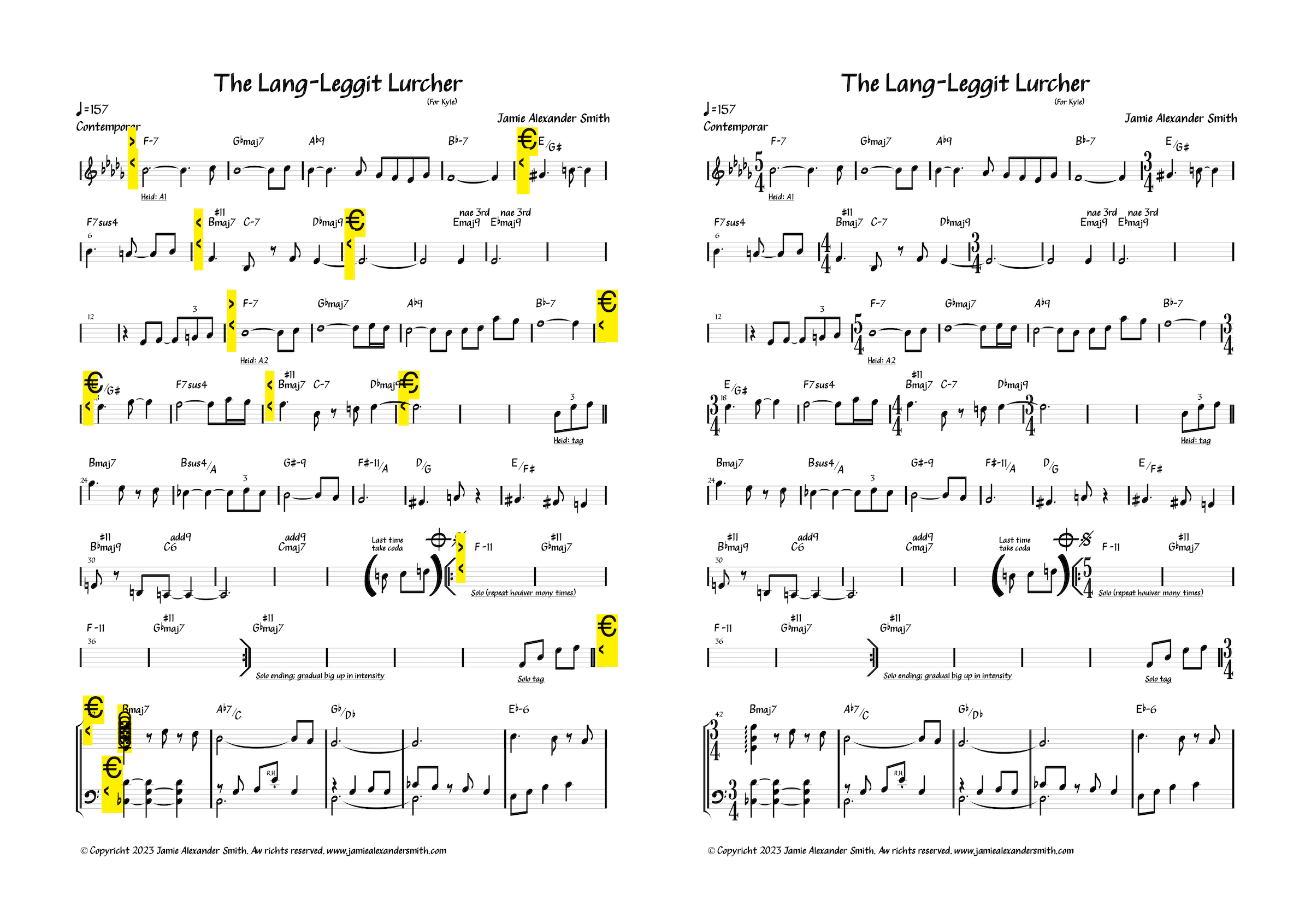
Installing the fonts permalink
On my machine (running Logic Pro 12.3 on macOS Tahoe 26.6.1), AScore and AScoreParts are stored in /Applications/Logic Pro.app/Contents/Frameworks/MACore.framework/Versions/A/Resources. To install them, I opened Finder and selected ‘Go to Folder…’ from the ‘Go’ menu, pasted in the aforementioned path (adjust it if your Logic app lives elsewhere, such as in the Users folder), and hit Enter. I then saw AScore.ttf and AScoreParts.ttf listed. Woop. I double-clicked both to open and install them via Font Book. They’re then picked up when I open my PDF scores in Affinity. (I’ve only actually encountered AScore in the wild, but I installed AScoreParts too in case I use one of its symbols in the future.)
The Logic folder structure may well change with a subsequent version. If you’re reading this and the fonts are no longer at the path where I found them, try searching via Terminal:
cd '/Applications/Logic Pro.app'find . -name "*AScore*"
(I was originally going to post all this as a reply to a thread on the Affinity forums, but I see they’re now read-only, replaced with a Discord community. That’s not a lot of use for people searching for answers. Apparently, moving communities to Discord is a trend.)